Scan · Solve · Play

Solve any Sudoku in seconds.

Point your camera at a puzzle in a newspaper, book or on a screen — and watch it solve itself.

Get it on Google Play Free · No account · On-device
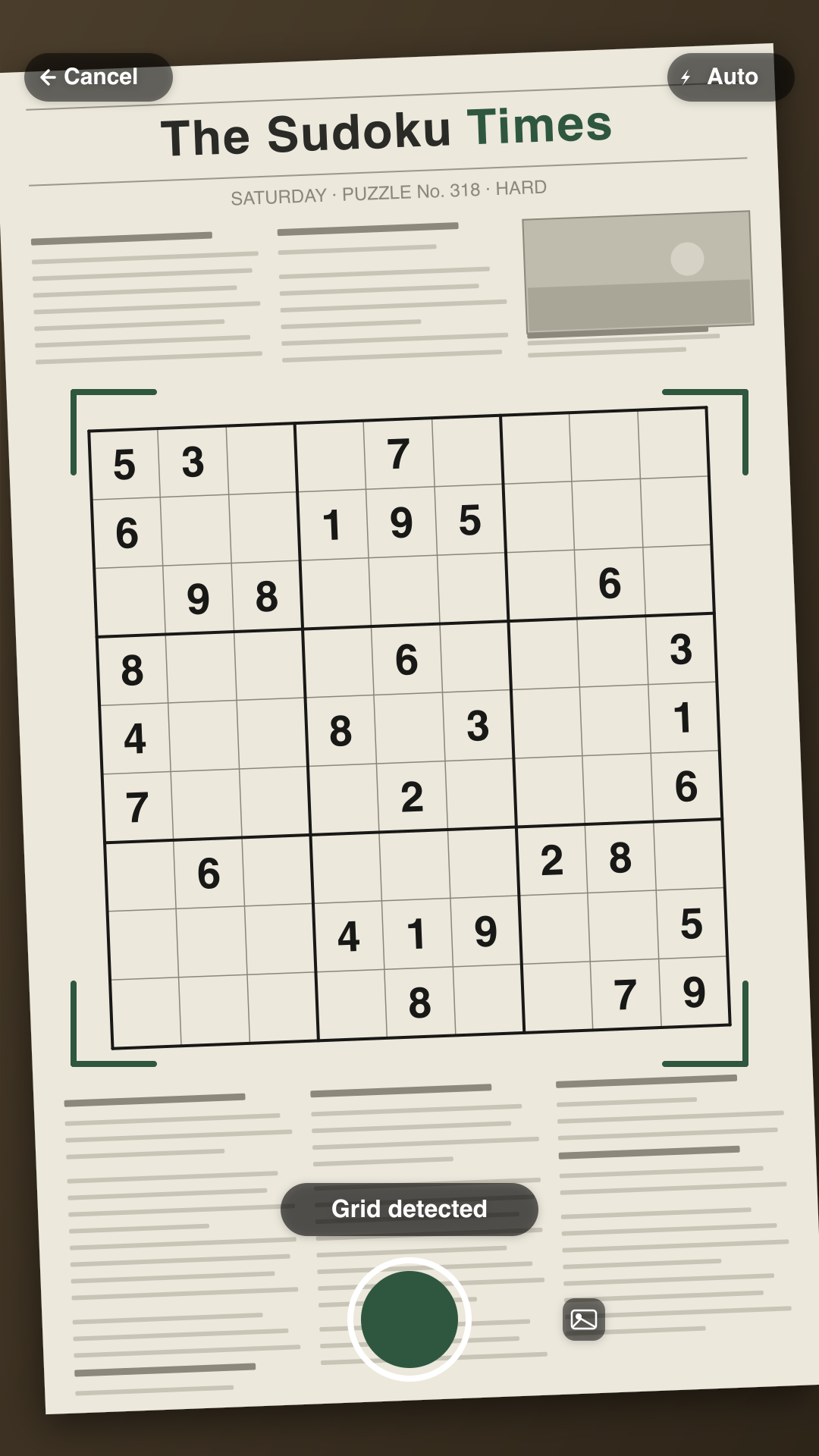
Sudoku app scanning a printed newspaper puzzle, with the grid detected

Built for real puzzles

Most scanners choke on anything but a clean app screenshot. This one is built for the messy real world.

Scan anything

Newspaper, puzzle book, or another screen. The grid detector handles glare, angles and dark-mode screenshots.

Solve instantly

A fast solver fills the board the moment a valid puzzle is read — or after you type one in by hand.

Play & learn

Prefer to solve it yourself? Four difficulty levels, gentle validation, and hints that nudge instead of spoil.

How it works

From a puzzle on paper to a finished grid in three steps.

1

Point

Frame the puzzle in the camera. The reticle turns green when the grid is locked.

2

Capture

Tap once. The digits are read on your device — nothing is uploaded.

3

Solve or play

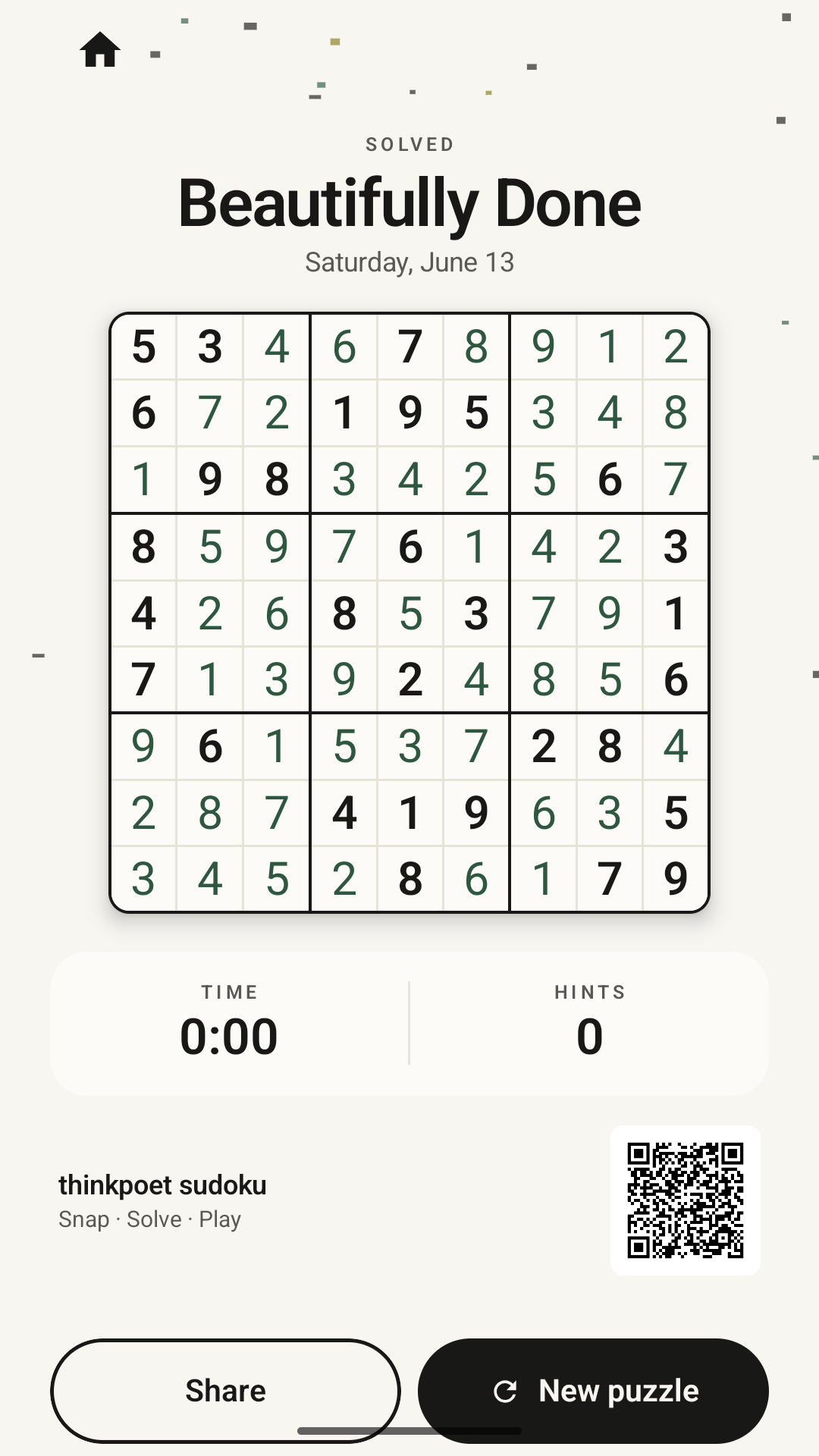
Get the full solution instantly, or keep the puzzle and play it yourself.

A calmer Sudoku

Quiet, paper-inspired design. No flashing ads, no clutter — just the puzzle.

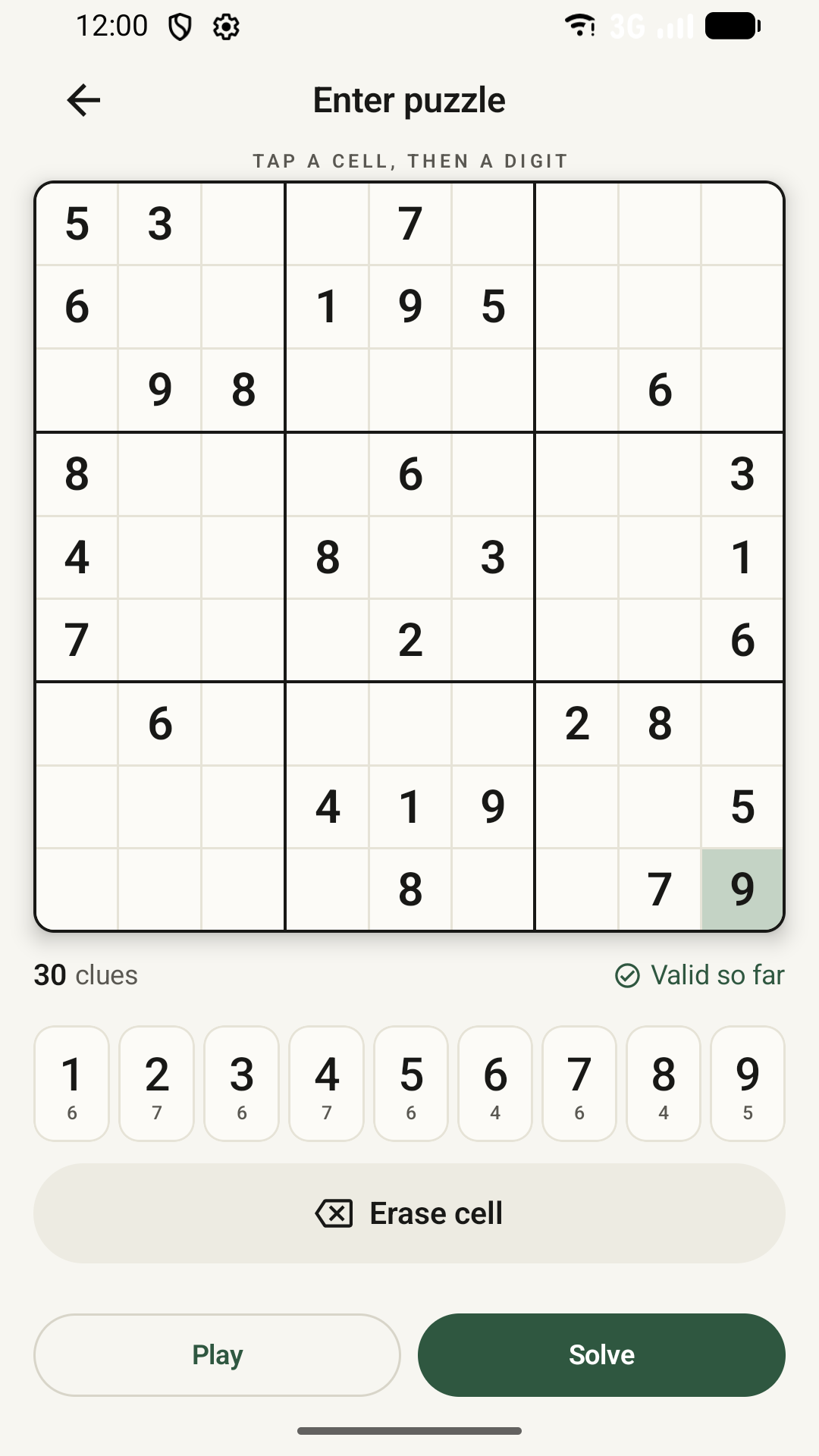
Scanning a Sudoku puzzle Entering a Sudoku puzzle by hand A solved Sudoku grid

Questions

The things people ask before installing.

Can it scan a Sudoku from a newspaper or book?

Yes. Point your camera at a printed puzzle — newspaper, book, or even another screen — and the app detects the grid and reads the digits on-device.

Does it work offline?

Yes. Scanning, solving and playing all run on your device. No account is required and your photos are never uploaded.

Is it free?

Yes — the app is free to download on Google Play.

Can I type a puzzle in by hand?

Yes. If you'd rather not scan, enter the clues by hand and tap Solve, or play it yourself with validation and hints.
Ready to solve?

Download Sudoku: Scan, Solve & Play free on Google Play.

Get it on Google Play